
Bottom Line
If you need a lightweight, plug‑and‑play hub that adds a single HDMI 4K@60 Hz output and a modest set of high‑speed data ports to a USB‑C laptop or tablet, the Dell Pro 4‑in‑1 USB‑C Travel Hub DA225 meets those needs. It is ideal for travelers who value a short 10.6‑inch cable, sub‑2‑ounce weight, and compatibility with Windows 11, macOS, ChromeOS and Linux. However, if you require power delivery, Ethernet, or multiple external displays, the hub’s data‑only USB‑C ports and single HDMI output make another docking solution a better fit.
Quick Decision Table
| Documented criterion | Best for | Skip if |
|---|---|---|
| Two USB‑C 3.2 Gen 2 ports (10 Gbps data‑only) | Ideal for users needing fast data connections without charging | Buyers needing Power Delivery must choose a hub with USB‑C PD |
| HDMI 2.0b port supporting 4K @ 60 Hz | Fits users who require a single high‑resolution external display | Users needing multiple monitors or higher refresh rates need a dock with additional video outputs |
| Compact size (2.24" × 2.36" × 0.60") and 1.66 oz weight | Suits travelers and mobile professionals prioritizing portability | Desk‑bound users preferring a larger dock with more ports may prefer a bigger solution |
What Matters for This Purchase
The hub provides two USB‑C 3.2 Gen 2 ports and one USB‑A 3.2 Gen 2 port, each delivering up to 10 Gbps of data‑only transfer. This satisfies users who need fast peripheral connections such as external SSDs or high‑resolution webcams, provided they do not also need charging through the hub. Buyers whose primary priority is simultaneous power delivery to the host must look for a hub that includes USB‑C Power Delivery support.
A single HDMI 2.0b port supports 3840 × 2160 resolution at 60 Hz, enabling a crisp external monitor for presentations or media consumption. This is appropriate for users who need one high‑resolution display. Those who require dual‑monitor setups or higher refresh rates will need a docking station offering multiple HDMI or DisplayPort outputs.
Product Analysis
Dell Pro 4-in-1 USB-C Travel Hub DA225
The hub’s compact dimensions (2.24 × 2.36 × 0.60 in) and weight of approximately 1.66 oz make it highly portable. Its small footprint and light weight are advantageous for users who need a travel‑friendly accessory.
Operating system support spans Windows 11, macOS, ChromeOS, iPadOS, Red Hat Enterprise Linux, and Ubuntu, ensuring broad compatibility. However, the USB‑C ports are data‑only, so devices that rely on USB‑C charging or video‑over‑USB‑C will not receive those functions from this hub. Buyers needing a hub that also supplies power to the host should consider alternatives with Power Delivery.
Who Should Buy and Who Should Skip
The Dell Pro 4-in-1 USB‑C Travel Hub DA225 is suited for users who need a lightweight, plug‑and‑play solution to add a single 4K @ 60 Hz external display and fast data connections to a USB‑C laptop or tablet. Its 2.24" × 2.36" × 0.60" footprint and 1.66 oz weight let it fit easily in a laptop bag, making it attractive for travelers, remote workers, and mobile professionals who prioritize minimal bulk while retaining compatibility with Windows 11, macOS, ChromeOS, iPadOS, Red Hat Enterprise Linux, Ubuntu, and Android/iOS devices that support USB‑C.
Users who rely on high‑speed peripheral connections such as external SSDs, high‑resolution webcams, or fast card readers will benefit from the hub’s two USB‑C 3.2 Gen 2 ports and one USB‑A 3.2 Gen 2 port, each offering up to 10 Gbps data‑only transfer. The 10.63" cable provides enough reach for typical desk setups without adding clutter, and the plug‑and‑play design eliminates the need for driver installation on supported operating systems.
Tradeoffs and Comparison Context
The hub does not provide USB‑C Power Delivery, so devices that require charging or host power through the hub cannot be powered from it. Buyers who need simultaneous charging of a laptop or tablet while using peripherals must consider a docking station that includes PD support.
Only a single HDMI 2.0b output is available, limiting the user to one external monitor at 3840 × 2160 @ 60 Hz. Professionals who require dual‑monitor configurations, higher refresh rates, or additional video interfaces such as DisplayPort will need a dock with multiple video ports.
All USB‑C ports are data‑only, meaning video‑over‑USB‑C (DisplayPort Alternate Mode) is not supported. Users expecting to drive a display through a USB‑C connector must use the HDMI port instead, which may affect cable management preferences.
Setup, Maintenance, and Ownership
The hub’s plug‑and‑play nature means it works immediately with supported operating systems without installing additional software, reducing setup friction for most users. Its compact size and lightweight construction also make it easy to store in a laptop sleeve or travel bag, and the 10.63" cable length provides sufficient reach for typical workspace arrangements.
Because the hub lacks power delivery and video‑over‑USB‑C, owners must plan separate charging solutions for their host devices and may need an additional adapter if they wish to use a USB‑C monitor. The data‑only ports are ideal for peripherals that do not require power, so users should verify that their accessories fit this profile before purchase.
Ongoing Ownership Costs and Warranty
Dell provides a limited one‑year warranty covering manufacturing defects for the DA225 hub. The official source does not list a price, so prospective buyers should confirm the current cost on Dell’s website or an authorized retailer. The documentation also does not mention recurring subscription fees or consumable components; purchasers should therefore check whether any optional accessories, extended service plans, or other ongoing costs apply before finalizing the purchase.
FAQ
Which operating systems are compatible with the Dell Pro 4‑in‑1 USB‑C Travel Hub DA225?
The hub works with Windows 11, macOS, ChromeOS, iPadOS, Red Hat Enterprise Linux, Ubuntu, and also supports Android and iOS devices that allow USB‑C connections, as stated in the official Dell specifications. Because it is plug‑and‑play, no additional drivers are required on these operating systems, ensuring immediate functionality when connected.
Can the hub charge a laptop or provide Power Delivery?
The DA225’s two USB‑C 3.2 Gen 2 ports are labeled as data‑only, and the product description does not list any Power Delivery capability. Consequently, the hub cannot supply charging power to a laptop or tablet, and users who need simultaneous host charging must select a docking solution that explicitly includes USB‑C Power Delivery.
What video resolution and refresh rate does the HDMI port support?
The hub includes one HDMI 2.0b port that supports a maximum resolution of 3840 × 2160 pixels at a 60 Hz refresh rate, enabling a single 4K display for presentations or media playback. No additional video outputs are provided, so users requiring dual monitors or higher refresh rates need a dock with multiple video ports.
Final Verification Checklist
- The Dell Pro 4‑in‑1 USB‑C Travel Hub model DA225 (Manufacturer Part Number JK05D) is the exact product described in the official Dell source. - It is sold by Dell and available through the provided Amazon affiliate link, representing an authorized retailer. - The hub measures 2.24 in wide × 2.36 in deep × 0.60 in high and weighs approximately 1.66 oz. - It supports a single HDMI 2.0b output at 3840 × 2160 @ 60 Hz and two USB‑C 3.2 Gen 2 data‑only ports (10 Gbps) plus one USB‑A 3.2 Gen 2 port, but provides no Power Delivery or video‑over‑USB‑C. - The official Dell page lists a limited one‑year warranty for the hub.
Exact Product Links
As an Amazon Associate, FitzPort Shop earns from qualifying purchases. This does not change the price you pay.
Featured in this Guide
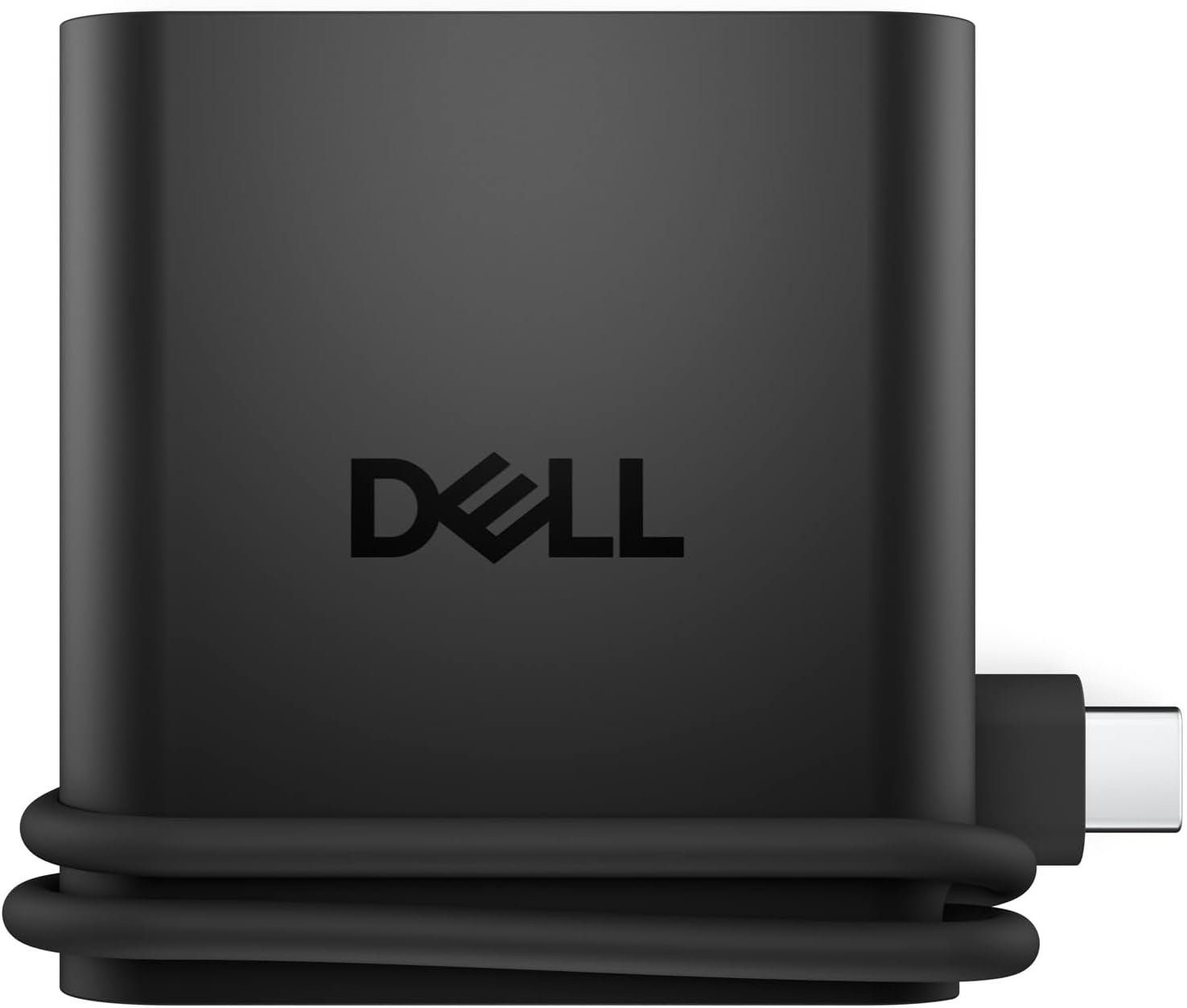
As an Amazon Associate, FitzPort Shop earns from qualifying purchases. Product price and availability are confirmed on Amazon.
Related Resources
Frequently Asked Questions
Common questions about this guide
Buy the Dell Pro 4-in-1 USB-C Travel Hub DA225 for its 4K @ 60Hz screen mode and 1.25 GB/s data transfer rate.
This guide takes approximately 6 minutes to read.
The "Featured in this Guide" section identifies the exact product listings used for the product-specific facts in this article. Open the linked product page to review its documented specifications, purchase checks, and retailer link.
Published product pages require an exact retailer identity, current listing data, a usable product image, official source information, documented specifications, and a decision-focused guide. Claims not supported by available sources are presented as buyer checks, not conclusions.
Amazon links are affiliate links. As an Amazon Associate, FitzPort Shop earns from qualifying purchases at no extra cost to you.
Product facts and retailer details are reviewed on a rotating schedule. Always confirm the exact listing, price, availability, seller, configuration, and return terms immediately before purchase.