Bottom Line
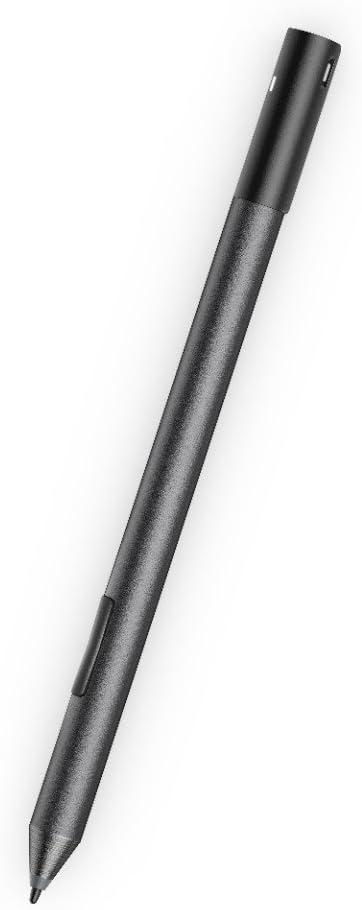
Choose the Dell Active Pen PN557W when your exact computer supports this pen and you want a documented writing, drawing and selection tool rather than a stylus chosen only because its brand matches your laptop. Dell identifies PN557W explicitly in its specification table. That model code matters more than a general claim that a computer has a touch screen. Start with the computer's pen-compatibility documentation, then consider the pen's dimensions, batteries and button workflow.
The practical tradeoff is between the pen interaction you need and the preparation it requires. This model uses an AAAA non-rechargeable battery and two 319 coin-cell batteries. Dell also documents Bluetooth Smart Low Energy 4.0. Those facts support a concrete setup plan, but they do not establish that every Bluetooth-equipped touch computer can accept its writing input.
Who It Suits
The PN557W suits a buyer replacing the same model or equipping a computer that Dell explicitly lists as compatible. A useful starting question is whether you need to annotate documents, draw directly on a supported display, or select objects with a pen tip. Dell's feature guide describes those actions. Match the intended application and computer before deciding whether additional button configuration is important to your routine.
Skip this purchase until compatibility is confirmed if you know only your laptop's broad product family. Two machines sold under similar family names can require separate checks. Also consider your willingness to keep the specified battery types available. A person expecting to plug every accessory into a charging cable should weigh that preference against Dell's explicitly documented non-rechargeable AAAA requirement, rather than assuming a different power system from the pen's appearance.
Documented Specifications
| Documented specification |
Buying implication |
| Length: 160.59 mm |
Compare with the space in your pen holder or carrying compartment. |
| Diameter: 9.50 mm |
Assess grip size against a pen you already use. |
| Weight: 20 g |
Treat this as a stated mass, not a comfort guarantee. |
| Bluetooth Smart Low Energy 4.0 |
Check the host's documented setup requirements. |
| AAAA non-rechargeable battery; two 319 coin cells |
Plan the correct replacement supplies. |
| Operating temperature: 5 to 40 degrees Celsius |
Check the environment in which you intend to use it. |
The specification table also gives a pen-tip detectable height of 5 to 10 mm. That is a detection specification, not a promised stroke accuracy or latency measurement. Keep that distinction when comparing pens: dimensions, detection height and wireless version answer different questions and should not be combined into a single unsupported performance verdict.
Decision Analysis
Physical fit can be assessed before purchase without claiming personal testing. Compare the 160.59 mm length and 9.50 mm diameter with a writing instrument that you can measure. If your storage slot is shorter than the stated pen length, resolve that carrying arrangement before ordering. The 20 g mass is useful for a specification comparison, but a mass alone cannot predict how your grip will feel during a long annotation session.
Button behavior is a separate decision from basic dimensions. Dell's feature guide describes a bottom barrel button for erasing and a top barrel button for a context menu, with configuration through the Active Pen Control Panel. Its top-button functions include application and presentation actions under stated software conditions. If those actions are central to your purchase, check the applicable guide and software on your actual computer rather than assuming that all applications respond identically.
Comparison Context
Compare the PN557W against your required workflow first. Someone who primarily selects interface objects has a different requirement from someone who wants to configure application shortcuts. A comparison checklist can therefore separate supported pen input, button behavior, battery supplies and carrying dimensions. This avoids treating a higher count of advertised functions as automatically more useful when the computer or application is the decisive dependency.
Keep model identity separate from accessories that look similar. This guide concerns PN557W, not an interchangeable family of Dell pens. When evaluating another candidate, ask for its own compatibility list and power specification. Do not carry the PN557W battery types, button assignments or operating conditions across to that candidate. The meaningful comparison is whether each documented configuration satisfies the same computer-and-application requirement.
Ownership and Setup Checks
Check the PN557W compatibility resources using the computer's exact model and configuration. Dell's support guidance distinguishes writing and barrel-button troubleshooting from top-button pairing and coin-cell troubleshooting. That distinction is useful if only one part of the pen stops responding: identify the affected function before replacing unrelated supplies or repeating the entire setup. Follow the model's instructions for battery orientation and installation rather than improvising from a different pen.
Ownership cost includes the specified replacement batteries and the purchase terms attached to your seller. Keep the order record and product-identification information for support. Confirm warranty eligibility, coverage and return conditions for the exact Amazon offer; a Dell manual establishes model instructions, not the seller's condition grading or a universal warranty period. Budget replacement supplies from your own expected use, because the battery list does not provide a guaranteed replacement interval.
Limitations and Checks
Dell lists Windows versions in its specifications, but an operating-system entry should not replace the supported-computer check. Confirm both the host and the functions you intend to use. Similarly, the stated wireless operating range of 10 m is not a claim that you can write on a screen from that distance. Writing remains a pen-and-display interaction; the wireless specification describes a different aspect of the device.
Before paying, match PN557W on the offer and inspect the included-item description, condition and seller terms. Check storage dimensions and the two battery formats as independent requirements. These are actionable purchase checks, not reasons to assume missing features or defective performance. If a necessary host or software requirement remains unresolved, pause the purchase until the relevant documentation answers it.
Verdict
As an Amazon Associate, Fitzport Shop earns from qualifying purchases.
Shortlist PN557W for a confirmed compatible computer when its documented pen input and button workflow match your tasks. Its measurable dimensions and explicit battery specification make preparation possible without pretending to know personal comfort or real-world battery endurance. The strongest buying decision starts with compatibility and ends with a clear setup and supplies plan.
Use the exact Amazon listing, Dell specification guide, and Dell feature guide for the offer and documented functions. The site's research methodology explains the distinction between source-based buying guidance and physical testing.
 Trending Editor's Pick