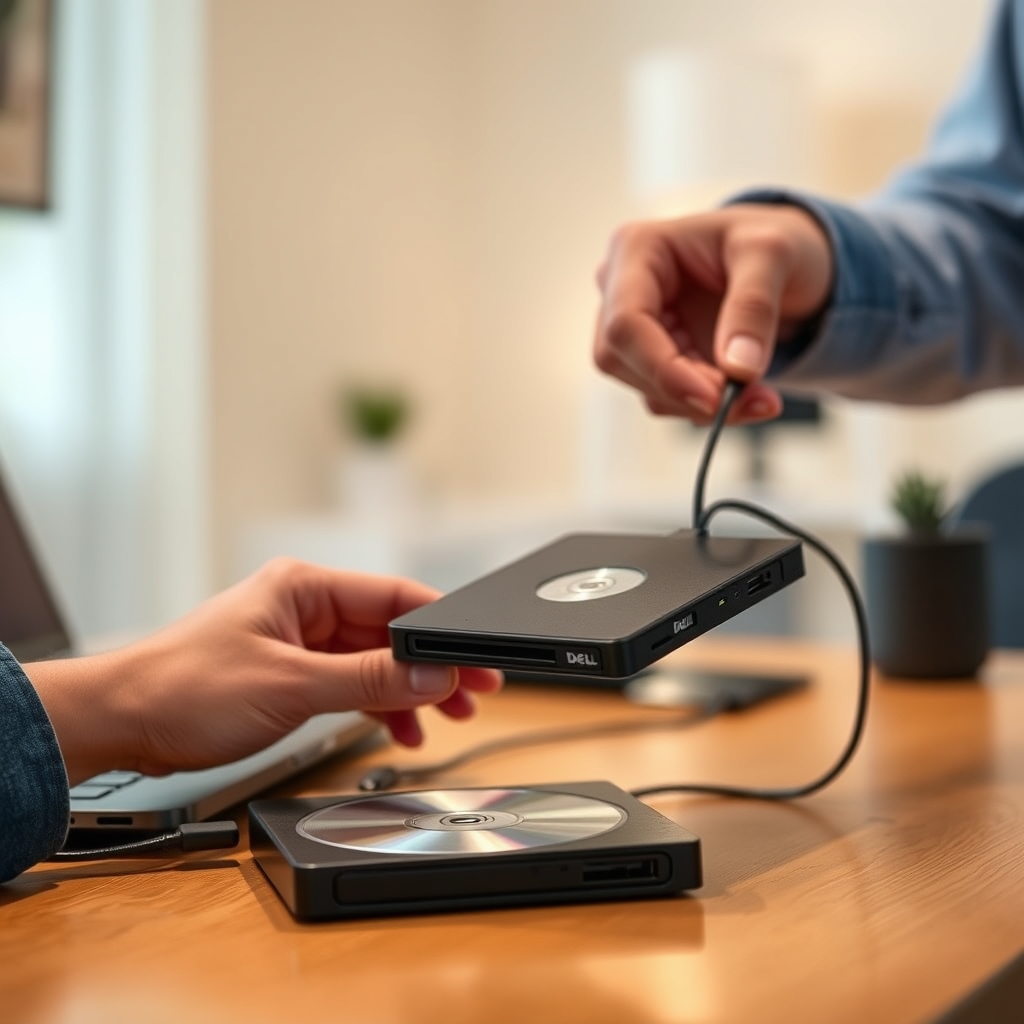
Bottom Line
The Dell External USB Slim DVD RW Drive DW316 is worth considering when your actual task starts with a CD or DVD: retrieving files, accessing an installer, or writing a disc for someone who needs one. Choose around that task, not a marketplace rating or an assumption that a familiar brand guarantees successful recovery. This buying guide assesses manufacturer documentation rather than reporting original performance measurements.
The first decision is whether you need to read an existing disc or create a new one. Then check the computer, application, and media involved. An external optical drive addresses the physical connection to a disc; it does not by itself resolve software licensing, application compatibility, or the condition of your particular collection.
Quick Decision Table
| Buyer situation | DW316 decision | Check before buying |
|---|---|---|
| Occasional access to existing CDs or DVDs | A candidate for the shortlist | Your disc type, computer connection, and reading application |
| Writing discs for a defined recipient | Consider after checking requirements | Required format, blank media, and writing software |
| Installing a disc-based application | Conditional fit | Whether the application itself supports your computer |
| A purchase specifically for Blu-ray | Do not select on this evidence | Obtain explicit support for your required format |
| Retrieving an irreplaceable damaged disc | Do not assume successful recovery | Assess the disc and an appropriate recovery route first |
| Moving files already available digitally | Reconsider whether you need an optical drive | Compare ways to transfer the files without creating discs |
What Dell Actually Documents
The Dell DW316 technical specifications identify model DW316, a USB 2.0 host interface, tray loading, and a 768 KB buffer. Maximum CD read, write, and rewrite speeds are 24x; the corresponding DVD maxima are 8x. These are specification ceilings, not measured completion times for your job.
Dell lists dimensions of 144 mm wide, 137.5 mm deep, and 14 mm high, with approximate weight of 200 g. The software entry names CyberLink Media Suite 12, and package contents include a Media Suite CD and a two-foot USB cable. Treat these as the documented package, then confirm what the specific seller supplies.
Do not turn a specification into a broader promise. A maximum speed does not establish error-free writing, and a software bundle name does not establish compatibility with every operating system. The table is useful evidence for identifying the hardware, not a substitute for checking your complete workflow.
Who Should Buy and Who Should Skip
Buy it if you have a defined CD or DVD task, can confirm the necessary connection and software, and want an external drive rather than changing the computer itself. For example, someone retrieving family documents from labelled discs can decide what must be read before ordering. That is a clearer use case than purchasing simply because an old computer once had an optical drive.
Skip it if the purchase depends on guaranteed recovery, unverified operating-system support, or a media format that has not been established for this model. This is not a claim that an unlisted workflow is impossible. It means the evidence here does not justify spending money on that assumption. Ask for explicit confirmation or choose hardware documented for the requirement.
Match the Disc to the Job
Start an inventory before shopping: identify whether you have data discs, music, movies, installation media, or blank discs for writing. Record the format printed on each relevant disc or package. Avoid treating every round optical disc as interchangeable, especially when the purchase is intended to solve one specific access problem.
For an installer, separate reading its files from running its application. Ask the software provider about the supported computer environment, activation, and any available download route. For movies, check the playback application's requirements and any relevant regional restrictions before assuming that attaching a drive completes the setup.
For writing, ask the recipient what format they accept and what device will read it. Choose your blank media and writing settings around that requirement. After creating a disc, plan to verify the resulting files or playback on the intended receiving system. That verification is a workflow recommendation, not a claim that this drive guarantees compatibility.
Computer Connection and Software Checks
Write down your computer model, operating-system version, available port, and intended application. Compare those details with the seller's exact configuration and the application's support information. If an adapter or hub is part of the plan, confirm that arrangement rather than assuming a USB connection label answers every compatibility question.
The bundled software deserves a separate check. Ask whether it is included with the offered unit, how you obtain or install it, and whether its requirements match your system. Do not assume a used or open-box listing contains the same accessories or usable software entitlement as a complete retail package.
For a work computer, ask the administrator whether external drives and software installation are permitted. If your workflow needs startup from a disc, confirm that specific capability for your computer and configuration before purchase. Ordinary file access and booting are different requirements; neither should be inferred from the other.
Speed, Space, and Practical Tradeoffs
Use the documented speed figures to compare like-for-like specifications, not to promise a finishing time. If you have a large collection, the useful planning question is how much time you can allocate to identifying discs, processing them, checking results, and naming files. A headline maximum cannot budget that entire process.
Check desk space as well as bag space. Leave room to open the tray and position the computer so the supplied cable can reach without an awkward arrangement. The dimensions help with planning, but they do not establish tray feel, cable-routing experience, room noise or measured behavior in your workspace.
If the original files already exist elsewhere, compare a direct digital transfer before creating an optical-media project. Conversely, an online download cannot be assumed to replace a disc containing unique personal files. Choose the route that addresses the location and availability of your actual data, not a general claim that one storage method is always better.
Ownership Costs and Warranty
Budget beyond the checkout price. Depending on the task, ownership costs may include blank discs, compatible playback or writing software, an adapter, and another destination for files you retrieve. These are possible workflow expenses, not claims that every DW316 buyer needs additional purchases. Price each item only after establishing whether it is necessary.
For recurring use, estimate how many discs you expect to write and whether the receiving device accepts your chosen media. For a one-off project, compare the total cost of doing it yourself with a suitable local service. Ask about handling and privacy before handing over personal discs. No recurring subscription or fixed operating-cost amount is asserted here.
Confirm warranty coverage for the actual seller, condition, and purchase country in writing. Ask who handles a fault, what proof of purchase is required, and how returns differ from warranty service. Do not transfer terms from a regional manufacturer page to a marketplace order without checking eligibility. Keep the invoice and the seller's stated terms with your purchase records.
FAQ
Does plug and play mean no software questions remain?
No. Treat hardware connection and your application requirements as separate checks. Confirm the software needed for reading, writing, playback, or installation, rather than assuming all four tasks have identical requirements.
Will it recover every old CD or DVD?
There is no such guarantee in this guide. Establish the disc format and condition first. For unique or damaged material, consider asking a recovery specialist before experimenting with a purchase intended for ordinary disc access.
Should I buy it just to install one old program?
First ask whether the program can run and be activated on your computer, and whether an authorized download is available. If the disc is still necessary, confirm the complete installation path before buying hardware for that single task.
Is the lowest listing price the best value?
Compare the delivered package, condition, return terms, necessary accessories, and software costs. A lower initial price is not enough to settle the decision if the listing leaves important parts of your intended workflow unresolved.
Final Purchase Check and Exact Links
Confirm the DW316 model, your required disc format, computer connection, application support, package contents, and seller terms. For important files, decide where the retrieved copies will go and how you will check them. Those answers should determine whether to buy, postpone, or choose another route.
Use the Dell External USB Slim DVD RW Drive DW316 product guide for the associated product, and check the exact DW316 Amazon listing for the offered unit and current purchase terms. As an Amazon Associate, Fitzport Shop earns from qualifying purchases.
Featured in this Guide
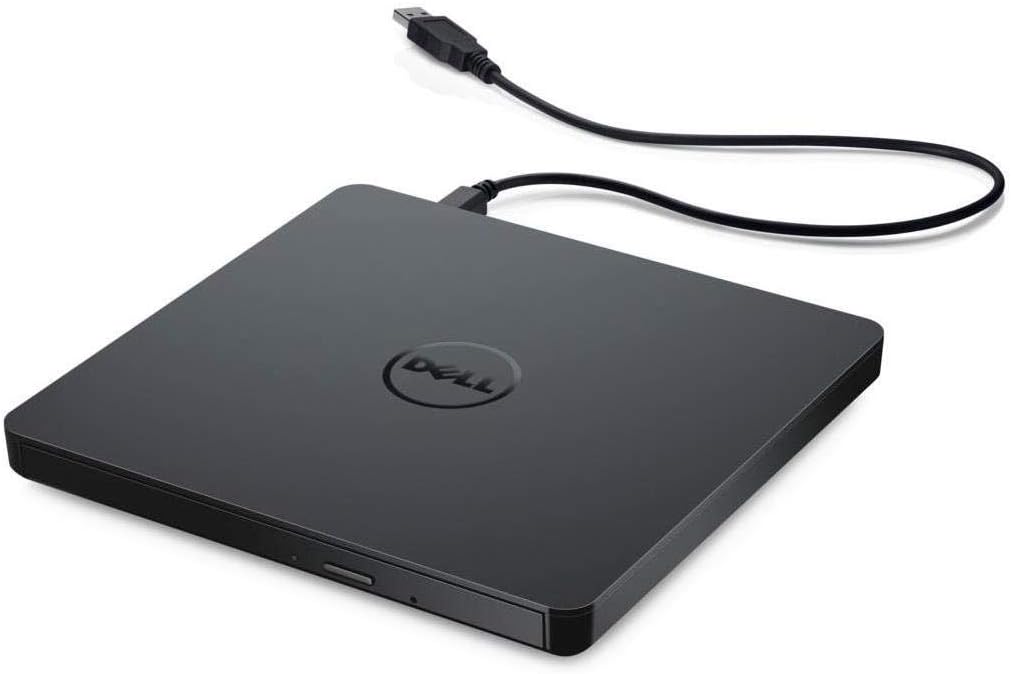
As an Amazon Associate, FitzPort Shop earns from qualifying purchases. Product price and availability are confirmed on Amazon.
Related Resources
Frequently Asked Questions
Common questions about this guide
Choose the Dell DW316 by the discs, computer connection and software your task requires, with separate checks for disc playing, burning and ownership costs.
This guide takes approximately 7 minutes to read.
The "Featured in this Guide" section identifies the exact product listings used for the product-specific facts in this article. Open the linked product page to review its documented specifications, purchase checks, and retailer link.
Published product pages require an exact retailer identity, current listing data, a usable product image, official source information, documented specifications, and a decision-focused guide. Claims not supported by available sources are presented as buyer checks, not conclusions.
Amazon links are affiliate links. As an Amazon Associate, FitzPort Shop earns from qualifying purchases at no extra cost to you.
Product facts and retailer details are reviewed on a rotating schedule. Always confirm the exact listing, price, availability, seller, configuration, and return terms immediately before purchase.