
Bottom Line
If you own a 14‑ to 18‑inch laptop and want a stand that automatically adjusts fan speed, adds three USB‑A ports, and includes a dust filter, the Razer Laptop Cooling Pad Adaptive Smart meets those needs; however, if you prefer manual fan control, require USB‑C connectivity, or use a laptop outside the supported size range, another cooling solution may be a better fit.
Quick Decision Table
| Documented criterion | Best for | Skip if |
|---|---|---|
| Supports 14‑ to 18‑inch laptops | Ideal for buyers whose laptop size matches the supported range | Not suitable for laptops smaller than 14 inches or larger than 18 inches |
| Dynamic fan speed control based on temperature sensors | Fits buyers who want automatic cooling and noise optimization | May not meet buyers who require manual fan speed control only |
| Integrated 3‑Port USB‑A hub and dust filter | Benefits users needing additional USB‑A connections and dust protection | Less relevant for users who already have sufficient ports or prefer USB‑C only |
What Matters for This Purchase
The pad is engineered for laptops between 14 and 18 inches, offering three magnetic frame options that align with the device width. Buyers whose laptops fall within this range can benefit from the built‑in foam seals that direct airflow and reduce leakage, while users with smaller or larger machines will not achieve optimal cooling coverage.
Cooling is managed by a temperature‑controlled system that varies the 140 mm fan speed based on real‑time sensor data. This automatic adjustment can lower CPU temperature noticeably, which is valuable for users who prioritize hands‑free thermal management; those who desire precise manual fan settings may find the lack of a dedicated manual mode limiting.
Product Analysis
Razer Laptop Cooling Pad Adaptive Smart
Performance claims note a 16 °F temperature drop observed during testing, but the official notes also state that results can vary with environmental conditions, laptop configuration, and usage patterns. Buyers should therefore consider the pad as a supplemental cooling aid rather than a guaranteed solution for all workloads.
Additional features include a three‑port USB‑A hub, remappable multifunction buttons, and an ultra‑fine dust filter, expanding workstation functionality. Users who need extra USB‑A connectivity or dust protection will find these useful, whereas those who rely primarily on USB‑C ports or have separate dust‑filter solutions may not gain significant added value.
Who Should Buy and Who Should Skip
If your laptop measures between 14 and 18 inches, the adaptive magnetic frames align with the chassis width, allowing the foam‑sealed 140 mm fan to direct airflow efficiently. Buyers who value hands‑free thermal management will benefit from the temperature‑controlled system that automatically raises fan speed when sensors detect higher CPU or GPU heat, reducing the need for manual adjustments during gaming or intensive workloads.
Users who need extra peripheral connectivity will find the integrated three‑port USB‑A hub useful for attaching mice, keyboards, or external drives without reaching for the laptop’s own ports. The remappable multifunction buttons add quick access to common actions, and the ultra‑fine dust filter helps keep the fan clear in dusty environments, making the pad attractive for stationary workstation setups.
Tradeoffs and Comparison Context
The pad’s fan speed is automatically adjusted based on temperature sensors and Razer Synapse presets; the official description does not mention a dedicated manual fan‑speed control.
The pad includes a 3‑Port USB‑A hub; the official specifications do not list USB‑C ports. Users who need USB‑C connectivity will need separate adapters or a different dock. Additionally, the size range excludes laptops smaller than 14 inches or larger than 18 inches, so those devices will not receive optimal airflow coverage.
Setup, Maintenance, and Ownership
Initial setup involves placing the pad on a flat surface, aligning the appropriate magnetic frame to the laptop width, and connecting the unit to a USB power source. To fine‑tune fan behavior, users can install Razer Synapse and select a preset or create a custom temperature target, after which the pad will adjust fan speed automatically.
Maintenance consists of periodically removing the ultra‑fine dust filter and cleaning it to prevent airflow restriction. Because the pad’s foam seals and fan are built into the chassis, there is no user‑replaceable fan module; any mechanical failure would require contacting Razer support. Compatibility checks should confirm that the laptop falls within the 14‑ to 18‑inch range and that the user is comfortable using USB‑A connections.
Ongoing Ownership Costs and Warranty
The official Razer page does not list a purchase price or warranty duration; prospective buyers should verify current pricing on the retailer link and confirm warranty terms on Razer’s support site before purchase.
FAQ
What laptop sizes are compatible with the Razer Laptop Cooling Pad Adaptive Smart?
The pad is engineered for laptops whose display size falls between 14 and 18 inches. Three magnetic frame options correspond to 14‑16‑inch and 17‑18‑inch widths, and foam seals direct airflow for those dimensions. Laptops smaller than 14 inches or larger than 18 inches will not receive optimal coverage, according to the official specifications.
How does the cooling system adjust fan speed?
The pad features a temperature‑controlled cooling system that reads sensor data from the laptop and automatically varies the speed of its 140 mm high‑velocity fan. Users can select preset profiles or create custom temperature targets in Razer Synapse; the fan ramps up when temperatures rise and slows when they fall, providing hands‑free thermal management as described by Razer.
What connectivity and maintenance features are included?
Integrated on the pad are three USB‑A ports that let users attach peripherals such as mice, keyboards or external drives. An ultra‑fine dust filter can be removed periodically for cleaning. The fan and foam seals are built into the chassis; the official documentation does not describe them as user‑replaceable.
Final Verification Checklist
- The product is the Razer Laptop Cooling Pad Adaptive Smart.
- It is sold by Razer and available via the provided Amazon affiliate link.
- The pad accommodates laptops sized 14‑ to 18‑inches using magnetic frames that match the chassis width.
- It provides dynamic temperature‑controlled fan speed and includes a 3‑port USB‑A hub, but offers no USB‑C port or manual fan control.
- All specifications and feature descriptions are taken from Razer’s official product page, which notes performance varies with environment and laptop configuration.
Exact Product Links
As an Amazon Associate, FitzPort Shop earns from qualifying purchases. This does not change the price you pay.
Featured in this Guide
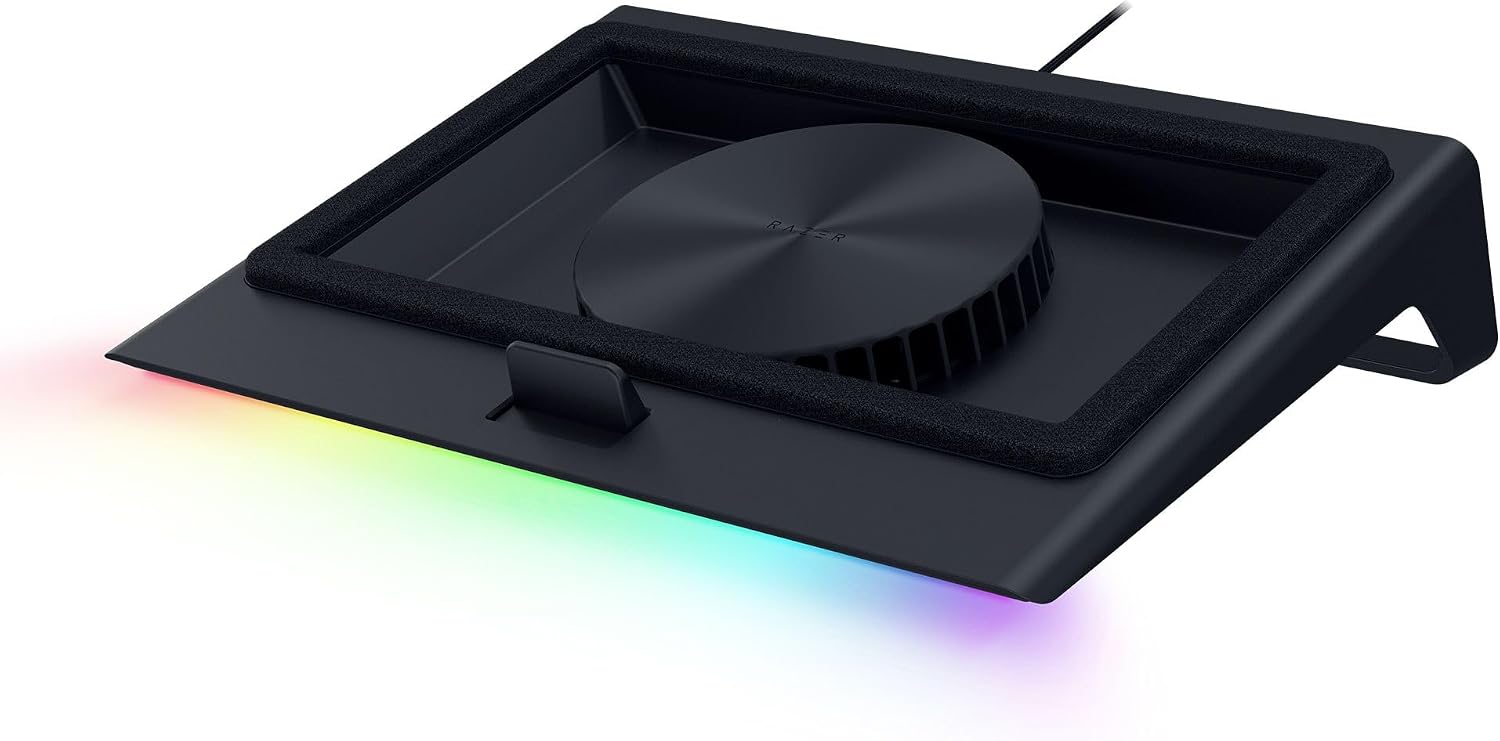
As an Amazon Associate, FitzPort Shop earns from qualifying purchases. Product price and availability are confirmed on Amazon.
Related Resources
Frequently Asked Questions
Common questions about this guide
Buy the Razer Laptop Cooling Pad Adaptive Smart for dynamic temperature control and improved laptop performance.
This guide takes approximately 5 minutes to read.
The "Featured in this Guide" section identifies the exact product listings used for the product-specific facts in this article. Open the linked product page to review its documented specifications, purchase checks, and retailer link.
Published product pages require an exact retailer identity, current listing data, a usable product image, official source information, documented specifications, and a decision-focused guide. Claims not supported by available sources are presented as buyer checks, not conclusions.
Amazon links are affiliate links. As an Amazon Associate, FitzPort Shop earns from qualifying purchases at no extra cost to you.
Product facts and retailer details are reviewed on a rotating schedule. Always confirm the exact listing, price, availability, seller, configuration, and return terms immediately before purchase.