Bottom Line
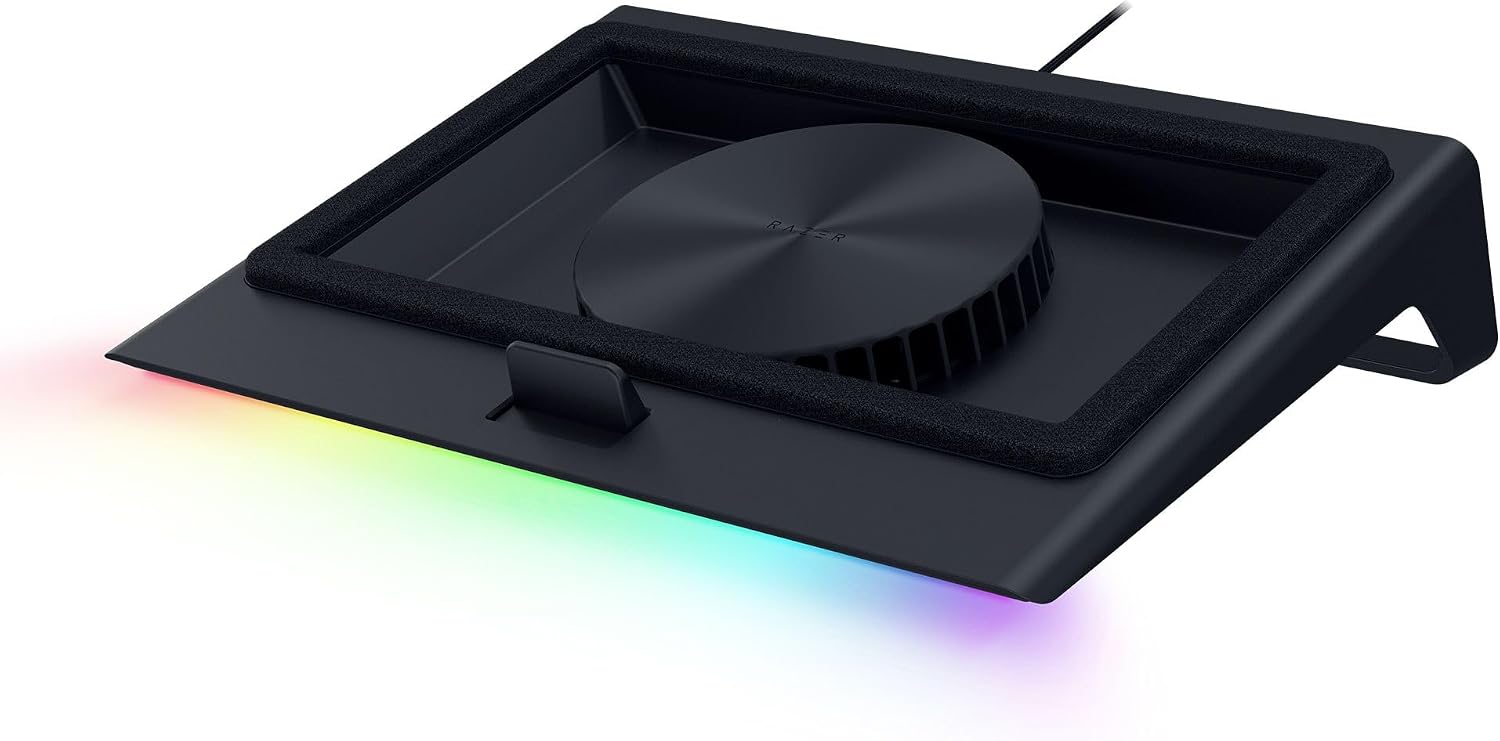
The Razer Laptop Cooling Pad is a shortlist choice for someone who wants an adjustable, powered cooling stand and will check laptop fit before ordering. It is not merely a passive riser: the official US product page describes temperature-controlled fan operation, foam seals, magnetic frames and a USB hub. Those are useful buying facts, but they do not establish a temperature reduction for your laptop. Use the exact Amazon listing to confirm the selected package rather than treating every advertised Razer accessory as included.
Who It Suits
Choose it if you are willing to compare your laptop's size and physical layout with Razer's compatibility information, then configure the stand around that machine. The documented presets and Synapse adjustments make it relevant to a buyer who wants control over the cooling setup. The USB Type A hub is also worth considering when the laptop will stay at a desk with several attached peripherals.
Skip an immediate purchase if fit is still unresolved or your decision depends on a guaranteed benchmark improvement. Neither the manufacturer's size range nor its marketing demonstration can answer those questions for an unexamined computer. Someone seeking only a different screen position should compare that objective with the powered pad's setup requirements before deciding whether the cooling system is actually wanted.
Documented Specifications
| Documented fact |
Buying consequence |
| 140 mm fan |
Identifies the active cooling hardware, not a measured result for your laptop. |
| Support described for 14 to 18 inch laptops |
Check the detailed compatibility information and physical fit. |
| Three magnetic frames |
Frame selection belongs in the setup decision. |
| Three-port USB Type A hub |
Plan which peripherals will connect at the stand. |
| Presets and adjustments through Razer Synapse |
Check software suitability on the configuration computer. |
Screen-diagonal coverage is a starting point rather than a substitute for model-level compatibility. A laptop's exterior and internal design still matter to the system's use, as Razer itself qualifies cooling results by laptop configuration and usage.
Decision Analysis
The pad combines a fan with a sealed-airflow design. Razer describes foam seals working with the fan and magnetic frames used to establish the intended arrangement. That makes checking the fit more important than simply comparing a laptop's diagonal measurement with an advertised range. Before paying for the stand, use the manufacturer's compatibility resources to determine which arrangement applies to your exact laptop. Do not assume that a frame fitting one machine proves fit for another machine with the same screen size.
Control is a second reason to consider this model. The official page describes automatic fan-speed management, recommended presets and Synapse calibration around noise level or desired internal temperature. However, adjustable control does not mean silent operation or a fixed thermal outcome. The useful tradeoff is having settings to configure versus accepting the time needed to choose and revisit those settings. This guide makes no claim about fan noise measured at a particular distance or workload.
Comparison Context
Separate three goals when comparing laptop accessories: changing screen placement, adding peripheral connections and supplying active airflow. This Razer model documents both a cooling system and a hub. An alternative should be compared using its own supported laptop arrangements, control options and port details, not an assumption that all stands deliver the same functions.
Razer also describes HyperBoost for select compatible Blade laptops. That selective wording matters: it is not a general promise for every notebook that physically fits the pad. If that feature drives the purchase, verify the exact Blade eligibility separately. Keep the existing cooling-pad record as the comparison reference so an adjacent Razer stand or a differently configured accessory does not replace the intended product.
Ownership and Setup Checks
Start with the laptop model, supported frame arrangement and available desk space. Then check the pad's current setup documentation, software requirements and package contents. Route the laptop's existing cables on paper or at the desk before ordering so the hub's location makes sense for the peripherals you actually use. The three Type A connections are a documented count; this guide does not infer charging wattage, display output or data speed from that count.
The official product page also identifies an ultra-fine dust filter and remappable multifunction buttons. Consult the exact user guide for maintenance and button procedures rather than improvising a cleaning method. Razer's warranty policy lists the Laptop Cooling Pad under two-year limited warranty support. Verify purchase eligibility, proof-of-purchase requirements and exclusions with Razer for your transaction; a coverage period is not a guarantee of approval for every claim. Retain the receipt and product identification.
Limitations and Checks
No independent workload, acoustic or temperature trial is claimed here. Razer qualifies cooling results by environmental conditions, laptop configuration and usage, so a demonstration percentage should not become an expected result in a buying recommendation. If the purchase only makes sense at a particular temperature drop, resolve that requirement through a suitable evaluation rather than extrapolating from another laptop.
The size range also should not become an unsupported exclusion for every unusual laptop, nor proof of universal support inside the range. Confirm exact compatibility. Treat selected-Blade features separately from general fan controls. Finally, confirm the live retailer package and support route without changing the established product identity or substituting a different stand because it appears in recommendations.
Verdict
Shortlist this pad for its documented fan controls, magnetic-frame arrangement and three-port hub when those functions match a planned laptop workstation. The meaningful tradeoff is configuration and compatibility work in exchange for an adjustable active-cooling setup. Buy only after checking the exact laptop arrangement and software requirements, and keep performance expectations conditional. As an Amazon Associate, FitzPort Shop earns from qualifying purchases.
 Trending Editor's Pick